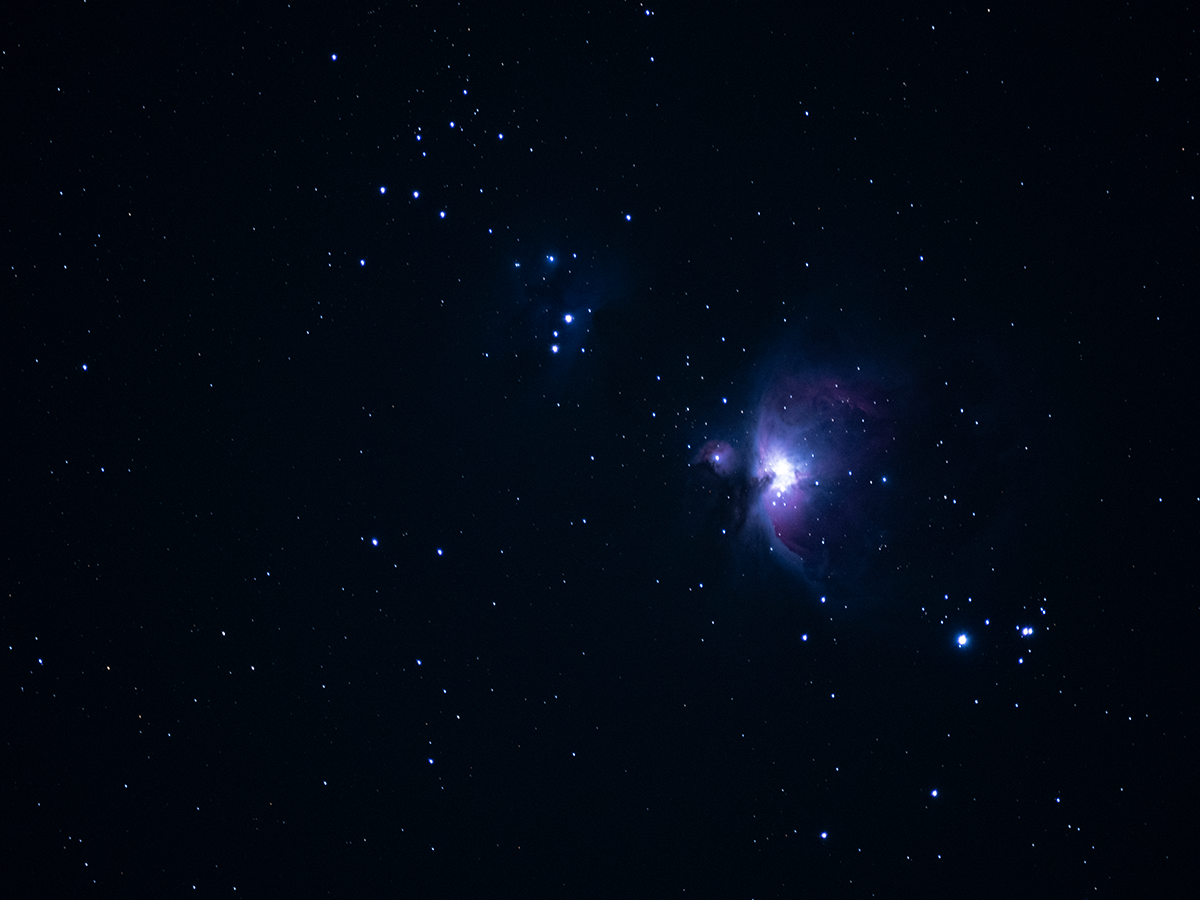
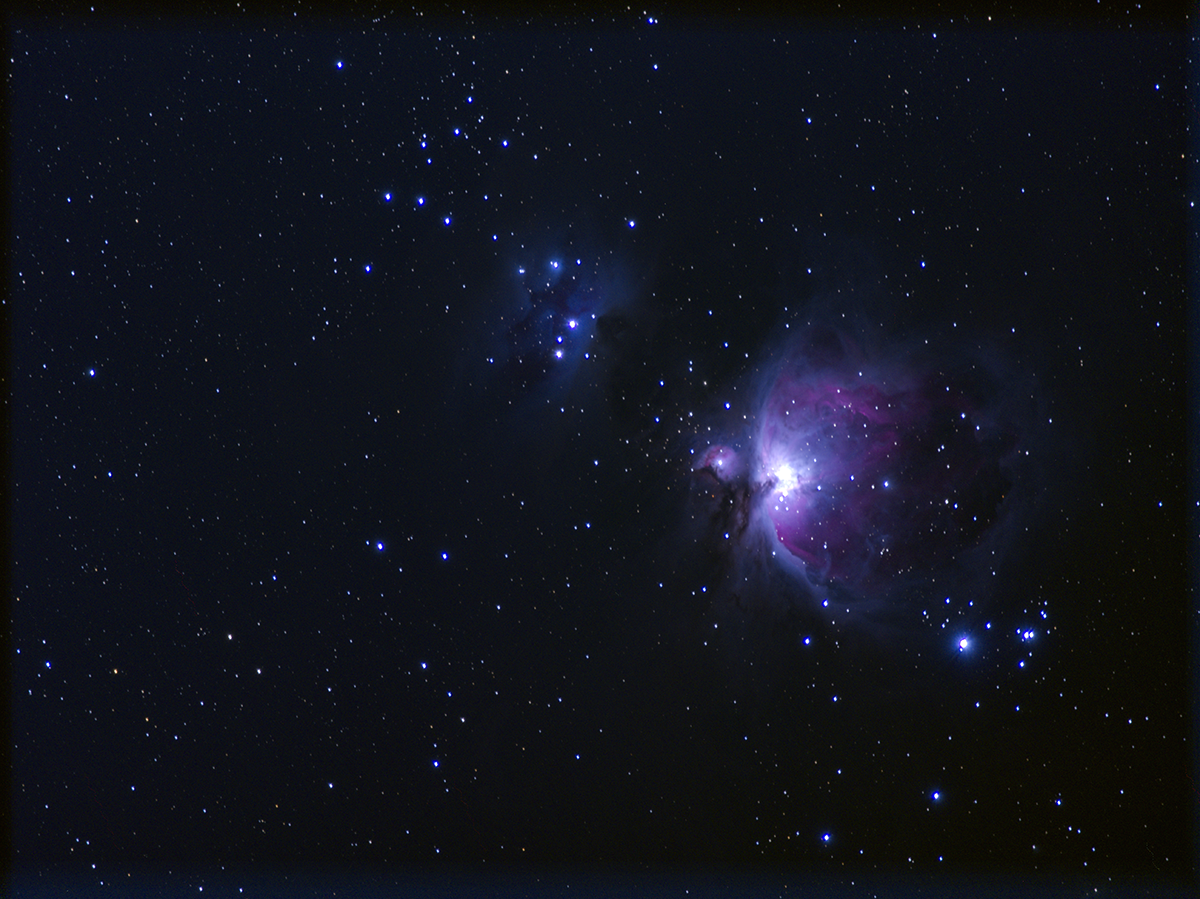
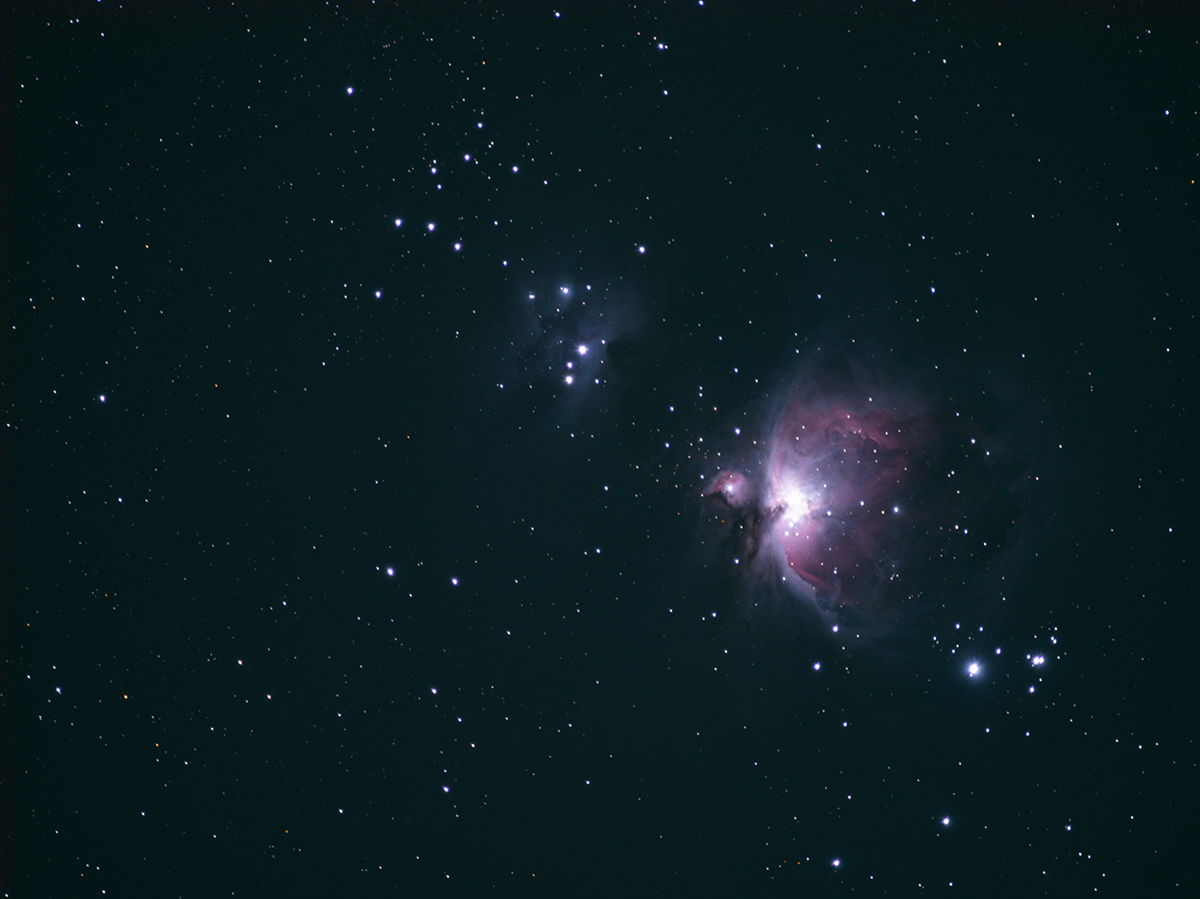
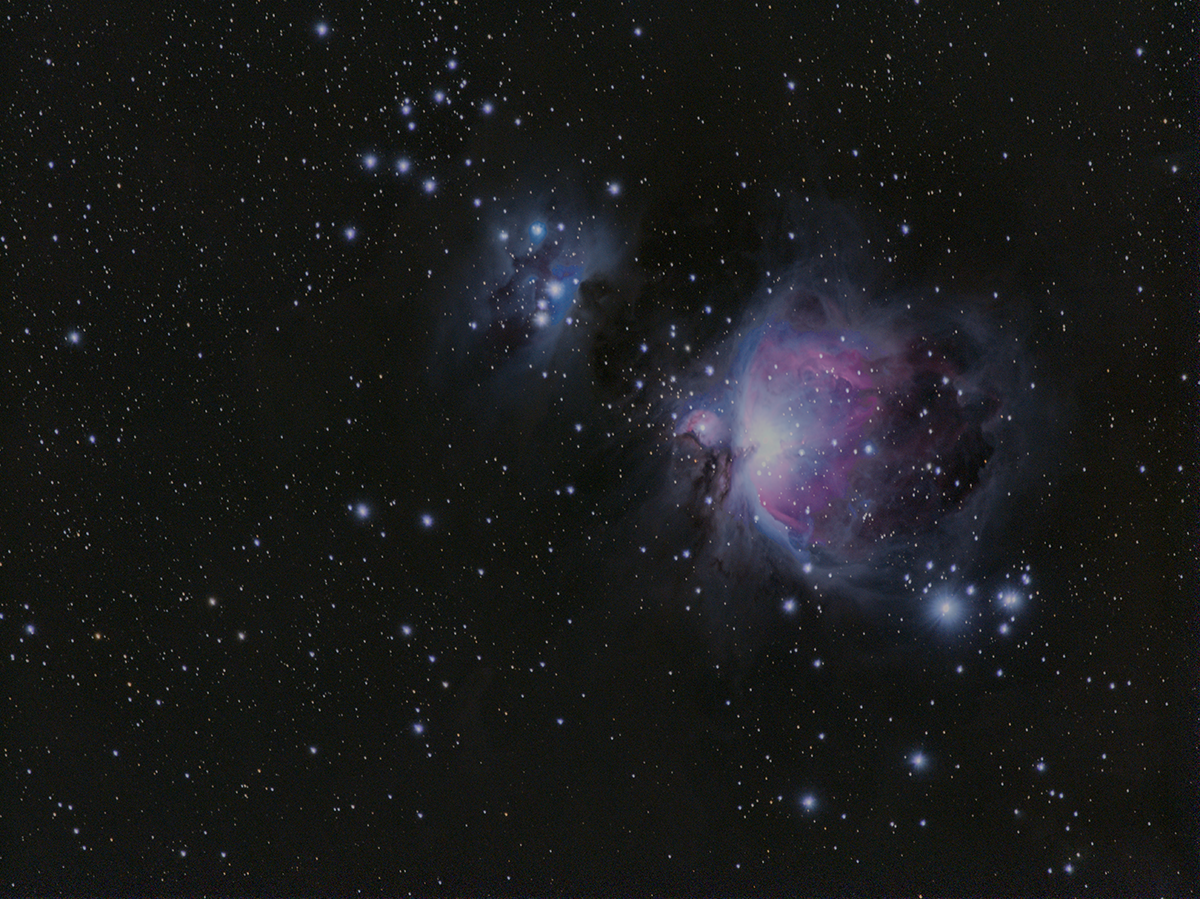
For this testing of three pieces of FREE image stacking software to see which might give me the best results (Sequator, DeepSkyStacker, and Siril), I shot the Orion Nebula. Final images from each as well as a single RAW shot from the camera at the bottom. The same files were used to process in each of the stacking software.
Files:
- 50 exposures each
- Lights at 60 seconds
- Darks at 60 seconds
- Biases at fastest shutter speed
- Flats at 125 so the histogram was left of center
- f 6.3
- ISO 1600
- OM-1 with 100-400mm lens at 400mm
- RAW
- File size: 17MB
- Dimensions: 5184×3888
- Bit depth: 16
- Color mode: RGB
- Color profile: Untagged
After opening all the Light Frames, checking all, Registering checked pictures… I ended up unchecking the files rated less than 100 which took me down to 32 files to stack. I had ratings from 491.29 down to 4.85.
- Stacking settings
- Result
- Standard Mode
- Enable 2x Drizzle (checked)
- Reduce worker threads priority (checked)
- Maximum number for processing threads: 20
- SIMD vectorisation
- Light
- Kappa-Sigma clipping
- Kappa: 2.00
- Result
I ended up using all 50 Light Frames as there is no rating system in this program, so the only way to eliminate “bad” photos is to look at each individually before hand.
- Sky region: Full area
- Auto brightness: On
- High dynamic range: On
- Remove dynamic noises: Off
- Reduce distor. Effects: Off
- Reduce light pollution: Deep sky (default setting on slider)
- Enhance star light: Off
- Merge 4 pixels: Off
- Time-lapse: Off
- Color space: Adobe RGB
I ended up using all 50 Light Frames in Siril as well since I didn’t see any rating system while following the tutorial below, as this was my first time using this software.
- Followed the “Siril 1.4 Beginner Tutorial: From Raw to Finished”
- https://www.youtube.com/watch?v=KMED8_sWu5c&t=419s
Stacked Files:
- DeepSkyStacker
- Document Type: TIFF
- File Size: 702 MB
- Dimensions: 10440×7824
- Resolution: 100 ppi
- Bit Depth: 32
- Color Mode: RGB
- Color Profile: Untagged
- Sequator
- Document Type: TIFF
- File Size: 117 MB
- Dimensions: 5220×3912
- Resolution: 72 ppi
- Bit Depth: 16
- Color Mode: RGB
- Color Profile: Untagged
- Siril
- Document Type: TIFF (a “Save As” at the end gave me this option)
- File Size: 239 MB
- Dimensions: 5220×3912
- Resolution: 72 ppi
- Bit Depth: 32
- Color Mode: RGB
- Color Profile: sRGB-elle-V4-srgbtrc.icc
For the images stacked from DeepSkyStacker and Sequator, some additional editing was done in Adobe Photoshop CC to try and get the best image I could from them. I didn’t use any special plug-ins at this point, but I plan on trying some in the future.
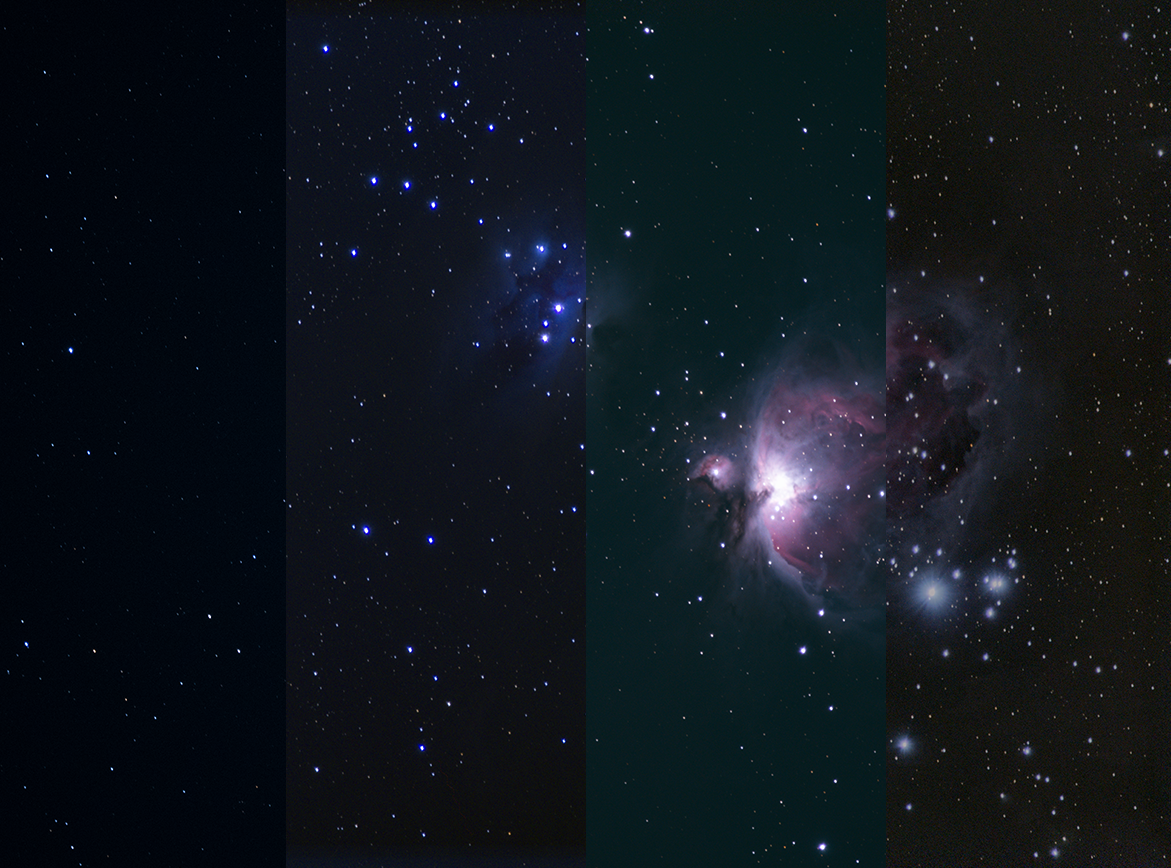
From left to right: Single RAW image from the 50 Lights, Sequator, DeepSkyStacker, and Siril.
The easiest of the three to use was Sequator. It only uses Lights, Darks, and Flats though you are not required to use anything other than the Lights if you wish. The interface is pretty easy to use with only a few options of processing in addition to stacking.
The second easiest to use was DeepSkyStacker. It will use Lights, Darks, Flats, and Biases though you are not required to use anything other than the Lights if you wish. The interface a bit more complicated with more settings and options than Sequator. A couple of good tutorials are by AstroBackyard and Late Night Astronomy.
While Siril was a bit more complicated to install and use, it had a lot more options and settings available to get the best image. It does require you to have Lights, Darks, Flats, and Biases as well as a couple of support programs like StarNet if you want to stretch the image by removing the stars first and then putting them back in. Thankfully, there are some wonderful tutorials on YouTube (like the one linked in the post above by Deep Space Astro) that greatly helped in the installation process and initial use.